
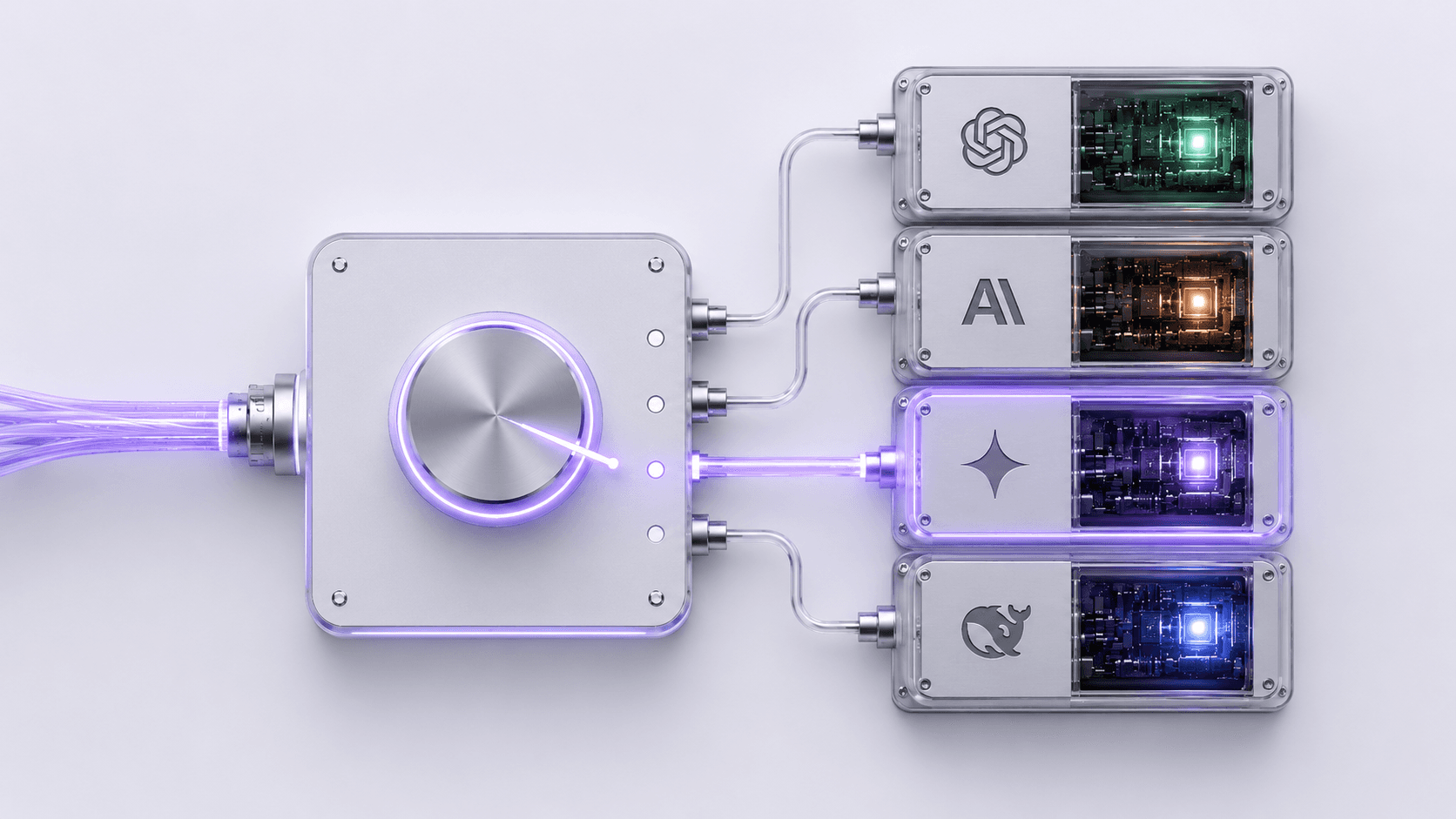
AI Prices Change Monthly. Your Workflows Shouldn’t.
You switch AI providers without breaking workflows by putting a gateway between your automations and the AI models. Your workflow points at one endpoint that never changes; you swap the model behind it from a dashboard, so a price change becomes a dropdown selection instead of a migration project.
That matters more in 2026 than it ever has. AI model prices moved four separate times this spring, and the "best value" model is now a moving target that shifts month to month. Every one of those moves is either money you leave on the table or a migration you have to run by hand — unless your workflows were never hard-wired to one provider in the first place.
TokenSense is an AI gateway that sits between no-code tools like n8n, Make, and Zapier and the AI providers, so you can switch models or providers — or route automatically to the cheapest one that can do the job — without touching a workflow. Here is why that flexibility went from "nice to have" to "the difference between capturing the savings and missing them."
Why AI Pricing Got So Volatile in 2026
AI pricing is volatile because the major providers are in an all-out price war, so the cheapest model that can handle a given task changes constantly. What was the obvious choice in March is overpriced by June.
The scale of the race is the cause. Anthropic’s annualized run rate jumped from roughly $9B at the end of 2025 to about $47B by May 2026 — a 422% leap — and OpenAI is now reportedly weighing steep price cuts to respond. When the leaders are fighting that hard for usage, list prices stop being stable.
The individual moves tell the same story. Claude Opus 4.8 launched on May 28, 2026 and cut its Fast Mode pricing from $30/$150 to $10/$50 per million input/output tokens overnight. Google’s Gemini 3.5 Flash, unveiled at Google I/O 2026, is pitched as "faster, cheaper, smarter" and priced to undercut, while DeepSeek’s V3/V4 models offer Sonnet-4.6-class performance at around $0.14 per million tokens — pressure that forces every Western provider to keep slicing.
Here is the reframe: this is good news for your budget and bad news only for anyone hard-wired to a single provider. Falling prices are a gift — but you can only collect it if changing models is easy.
What an AI Gateway Actually Does (in Plain English)
An AI gateway is one stable endpoint that all your workflows point at, with the actual model chosen behind it from a dashboard. Your automations talk to the gateway; the gateway talks to OpenAI, Anthropic, Google, or anyone else — and which one it uses is your decision to change at any time.
Think of it as a power strip for AI. Your devices stay plugged into the strip; you can swap what’s behind the wall without unplugging a single thing. The workflow never knows — or cares — which provider answered, because the address it calls never changes.
Switch the model — keep every workflow
Best for: Your hardest reasoning and agent tasks
Across all your automationsExample rates, for illustration.
The practical payoff is that switching a provider becomes a dropdown, not a project. When Opus 4.8 cut its Fast Mode price, a team on a gateway changed one setting and every workflow pointed at the cheaper model the same afternoon — no re-pasting keys, no re-testing every scenario, no workflow-by-workflow migration. The decision shrinks from "is this worth a week of work?" to "is this worth ten seconds?"
Automatic Routing: Send Each Job to the Cheapest Model That Can Do It
Yes — that’s routing, and it’s where a gateway pays for itself. Instead of forcing every task through one model, you send each job to the cheapest model that can actually handle it: a frontier model for hard reasoning, a fast cheap model for classification, extraction, and routing.
The consensus across teams that adopt model routing is 60–80% savings on routable traffic, because most workflow steps are simple jobs that don’t need a premium model at all. You’re not getting worse results — you’re just stopping the habit of paying frontier prices for work a cheaper model does identically.
The current lineup shows exactly why it pays off right now. On tasks where Opus 4.8 and Gemini 3.5 Flash score similarly for tool use, Opus still costs roughly 2.8x more on output. Route the work that genuinely needs Opus to Opus, send the rest to Flash, and you keep the quality where it matters while cutting the bill on everything else.
A Worked Example: The Day Gemini 3.5 Flash Got Cheaper
Picture a setup making 6,000 AI calls a day — a dozen busy workflows, twelve client accounts, or one heavy internal pipeline, it works out the same — roughly 180,000 calls a month. The morning a cheaper, capable model lands, the gateway team captures the savings before lunch; the hard-wired team captures them maybe never.
Without a gateway: the price drop is an announcement, not a benefit. To act on it, someone opens every workflow, re-points each AI step at the new model, reconciles the slightly different request format, and re-tests. Across dozens of workflows that’s days of work, so in practice it gets deprioritized — and you keep paying the old rate on all 180,000 calls a month.
With a gateway: it’s one routing-rule update. You point the relevant task type at the cheaper model once, and every workflow benefits the same day. If routable traffic is even half of that volume and the new model is a fraction of the cost, the monthly saving runs into the hundreds or thousands of dollars — captured in minutes, not lost to a migration that never happens.
That same single point of control is also where unmonitored spend gets caught — the real cost of unmonitored AI calls is invisible precisely because there’s usually no single place that sees every request. A gateway is that place.
How to Set This Up Without Code
You set it up by pointing your workflows at your TokenSense endpoint once, then choosing or routing models from the dashboard — no .env files, no SDK to install, no JSON to hand-edit. If you can paste a value and click a dropdown, you can do this.
In practice it’s three steps. First, copy your TokenSense endpoint and key into the AI node of each workflow once — that address never changes again. Second, pick a model from the dashboard, or set a routing rule that sends each task type to the cheapest model that can handle it. Third, set a monthly budget — per workflow, per client, or per workspace — so spend stays inside the number you planned, with requests blocked at the ceiling rather than just flagged.
Workspace Budget Guardrail
From then on, every pricing shock is a dashboard decision. The same setup works whether your stack is n8n, Make, or Zapier — and if you want the n8n specifics, see our guide to cost-effective LLM integration in n8n.
Will Switching Models Break My Automations?
It can if you swap blindly, but a gateway plus a quick test removes most of the risk. Models genuinely differ — a prompt tuned for one may need small adjustments on another, especially for strict formatting or tool use — so the honest answer is "test before you trust," not "it always just works."
The difference a gateway makes is that testing is cheap and reversible. You point one task type at the new model, run a handful of real jobs, and if the output holds up you roll it out everywhere; if it doesn’t, you switch back with the same dropdown. You’re never committing a week of migration work to find out — so trying a cheaper model carries almost no downside.
This is part of treating AI spend as an operational discipline rather than a monthly surprise — the same mindset behind AI Ops as a discipline for automation teams.
See Every Model’s Cost in One Place
Yes — because a gateway sits in front of the AI providers, it works with any tool that can call a web endpoint, which includes n8n, Make, and Zapier. The volatility of 2026 pricing isn’t slowing down: it pairs with the FinOps Foundation’s finding that the share of teams actively managing AI spend went from 31% to 98% in just two years. Cost control is now everyone’s job, not just the developers’.
The teams that come out ahead won’t be the ones who pick the perfect model today — there’s no such thing when prices move monthly. They’ll be the ones who made switching free, so every price war works in their favor instead of against them.
TokenSense puts every model’s cost in one place and turns provider changes into a dropdown. Start free and see your costs in one view — or, if you’re comparing options, see how we stack up in our TokenSense vs Portkey comparison.