
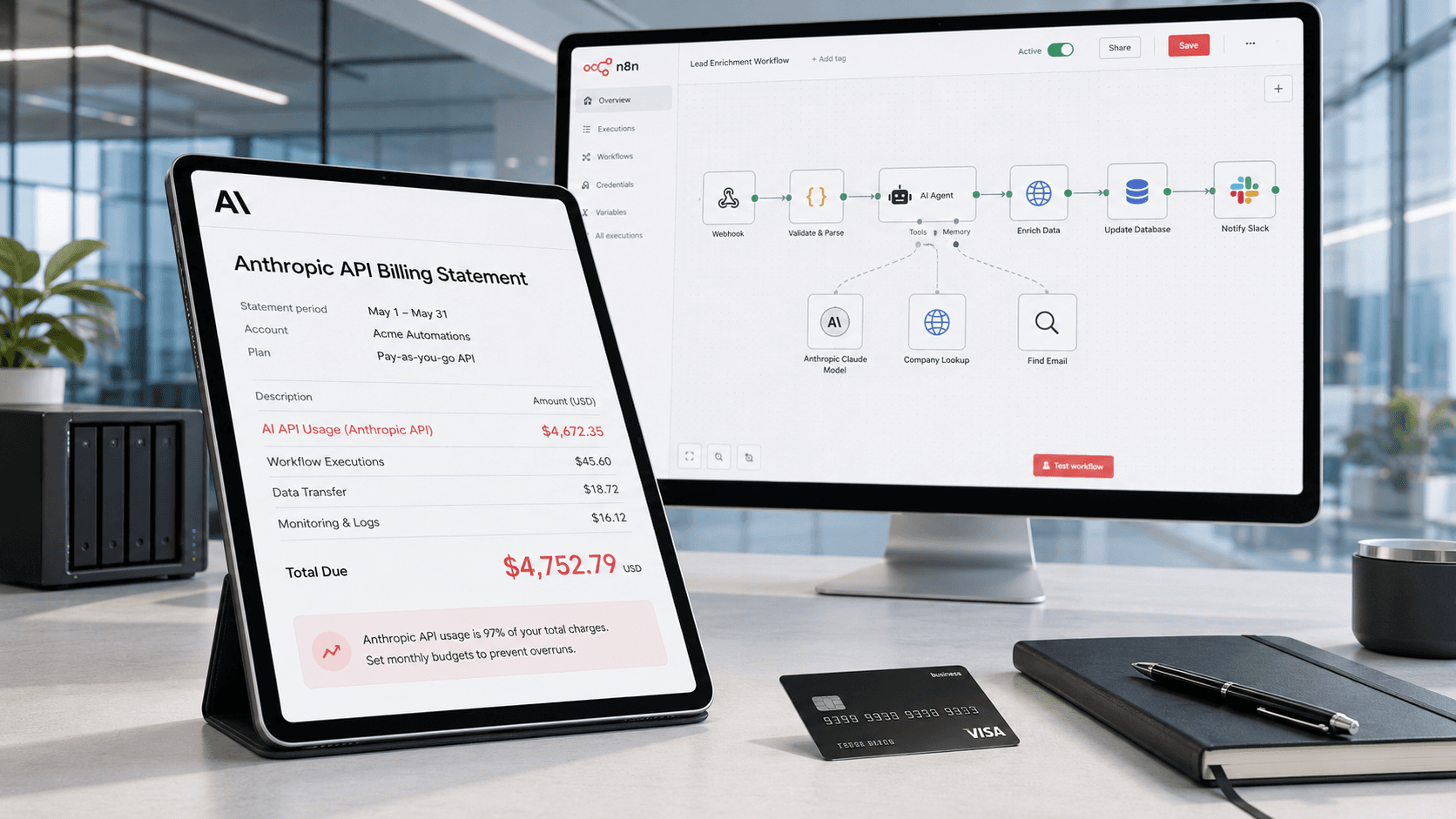
The Silent Budget Killer
Unmonitored AI API calls typically inflate automation costs by 20–50% through retry storms, silent model upgrades, and context window creep. Teams running 50+ workflows routinely discover $750+/month in invisible AI spend hiding behind a single shared API key — and the problem compounds as client counts grow. The fix is per-workflow cost attribution and enforced budget caps, not better spreadsheets.
Every automation agency starts the same way: a handful of workflows, a single OpenAI API key, and a vague sense that "AI calls are cheap." Then the client list grows. Five clients become twenty. Twenty become fifty. Each client has three to ten workflows, and each workflow makes anywhere from a dozen to a few hundred AI calls per day.
The math creeps up quietly. A single GPT-4o call averaging 800 input tokens and 200 output tokens costs roughly $0.005. Harmless in isolation. But multiply that across 50 client workflows running 100 calls per day, and you're looking at $750/month — before retries, before prompt iteration, before that one workflow someone left in a loop over the weekend.
The core problem isn't that AI is expensive. It's that AI spend is invisible. Unlike compute or storage, which show up as predictable line items, AI costs are per-call, per-token, and wildly variable depending on prompt length, model choice, and output complexity. Most automation platforms — n8n, Make, Zapier — don't surface this cost data natively. You see that a workflow ran successfully. You don't see that it burned $14 in API calls doing it.
Why Traditional Monitoring Falls Short
If you're running production automations, you probably have some form of monitoring. Maybe it's n8n's built-in execution history, or Make's scenario logs, or a Datadog dashboard tracking uptime. These tools answer one question well: "Did my workflow run?"
But they don't answer the questions that matter for AI-powered workflows: How much did that run cost? Which client's workflows are driving the most spend? Why did Tuesday's bill spike 3x compared to Monday? Is this workflow using GPT-4o when Haiku would suffice?
Provider dashboards (OpenAI's usage page, Anthropic's console) give you account-level totals — useful for billing reconciliation, useless for operational decisions. You can see that your organization spent $2,400 on OpenAI last month. You cannot see that Client A's lead enrichment workflow accounted for 60% of that spend because someone left the temperature at 1.0 and the max tokens uncapped.
The gap between "workflow monitoring" and "AI cost monitoring" is where budgets go to die. Traditional APM tracks latency, errors, and throughput. AI operations require tracking tokens, cost-per-call, model selection, and spend attribution at the workflow and client level.
The Real Numbers: What Unmonitored AI Spend Looks Like
Let's walk through three scenarios we see repeatedly across automation agencies:
Scenario 1: The Retry Storm. A workflow calls Claude Sonnet to classify incoming support tickets. The downstream step occasionally times out, causing n8n to retry the entire workflow — including the AI call. During a busy Monday, 200 retries fire before anyone notices. Cost: $45 in redundant AI calls, plus the original $15 in legitimate ones. A 3x multiplier from a simple timeout.
Scenario 2: The Model Upgrade. OpenAI releases a new model version and deprecates the old one. Your workflows automatically pick up the new default, which happens to cost 2x more per token. Across 30 workflows, your daily AI spend doubles overnight. Nobody notices for two weeks because the workflows still "work fine."
Scenario 3: The Context Window Creep. A developer iterates on a prompt, adding few-shot examples and detailed instructions. The prompt grows from 200 tokens to 2,000 tokens. The workflow runs 500 times per day. Input cost alone goes from $0.75/day to $7.50/day — a 10x increase from a well-intentioned prompt improvement.
None of these are catastrophic in isolation. But they compound. An agency running 50+ workflows typically has two or three of these issues active at any given time, each silently inflating spend by 20-50%.
Building a Cost-Aware Automation Practice
The fix isn't to stop using AI — it's to make AI spend visible, attributable, and controllable. Here's what that looks like in practice:
Per-client budgets. Every client gets a monthly AI spend ceiling. Not an alert — an actual enforcement boundary. When Client A's workflows hit $200/month, requests get blocked, not just flagged. This protects your margins and gives you a concrete number for client contracts. Agencies scaling to dozens of clients need this isolation from day one.
Workflow-level cost attribution. Every AI call gets tagged with the workflow that made it and the client it belongs to. You should be able to pull up a report that says "Client B's lead scoring workflow spent $87 last week, averaging $0.14 per execution." This is the foundation of AI cost management.
Alerting thresholds. Set alerts at 50%, 75%, and 90% of budget. But make them actionable — include which workflows are driving the spend and what model they're using. An alert that says "you've spent $150" is noise. An alert that says "Client C's content generation workflow has spent $150, primarily on GPT-4o calls averaging 1,200 output tokens" is signal.
Model selection by cost/quality tradeoff. Not every AI call needs a frontier model. Classification, extraction, and routing tasks often perform identically on models that cost 10-20x less. Build a model selection matrix for your common task types and enforce it at the gateway level — so when prices shift, you can switch providers without breaking a single workflow.
If you run n8n, the TokenSense community node — now verified by n8n — gives you per-step attribution and enforced caps. It's installable on self-hosted today and rolling out to n8n Cloud with the next n8n release.
From Reactive to Proactive: The AI Ops Discipline
The agencies pulling ahead aren't just monitoring AI spend — they're treating it as a first-class operational metric, right alongside uptime, latency, and error rates.
This is the emerging discipline of AI Ops: the practice of managing AI-powered systems with the same rigor that DevOps brought to deployment and infrastructure. It means having dashboards that show cost-per-client alongside workflow health. It means running monthly AI spend reviews the same way you'd review infrastructure costs. It means baking cost awareness into workflow design from day one, not bolting it on after a surprise bill.
The tooling is catching up to the need. AI gateways that sit between your automation platform and AI providers can log every call, attribute costs, enforce budgets, and route requests to the most cost-effective model for the task. Think of it as a load balancer that also understands tokens and dollars.
The agencies that build this operational muscle now — while AI costs are still manageable — will be the ones that scale to 100+ client workflows without their margins collapsing. The ones that don't will keep finding out about cost problems the hard way: on the monthly credit card statement.