
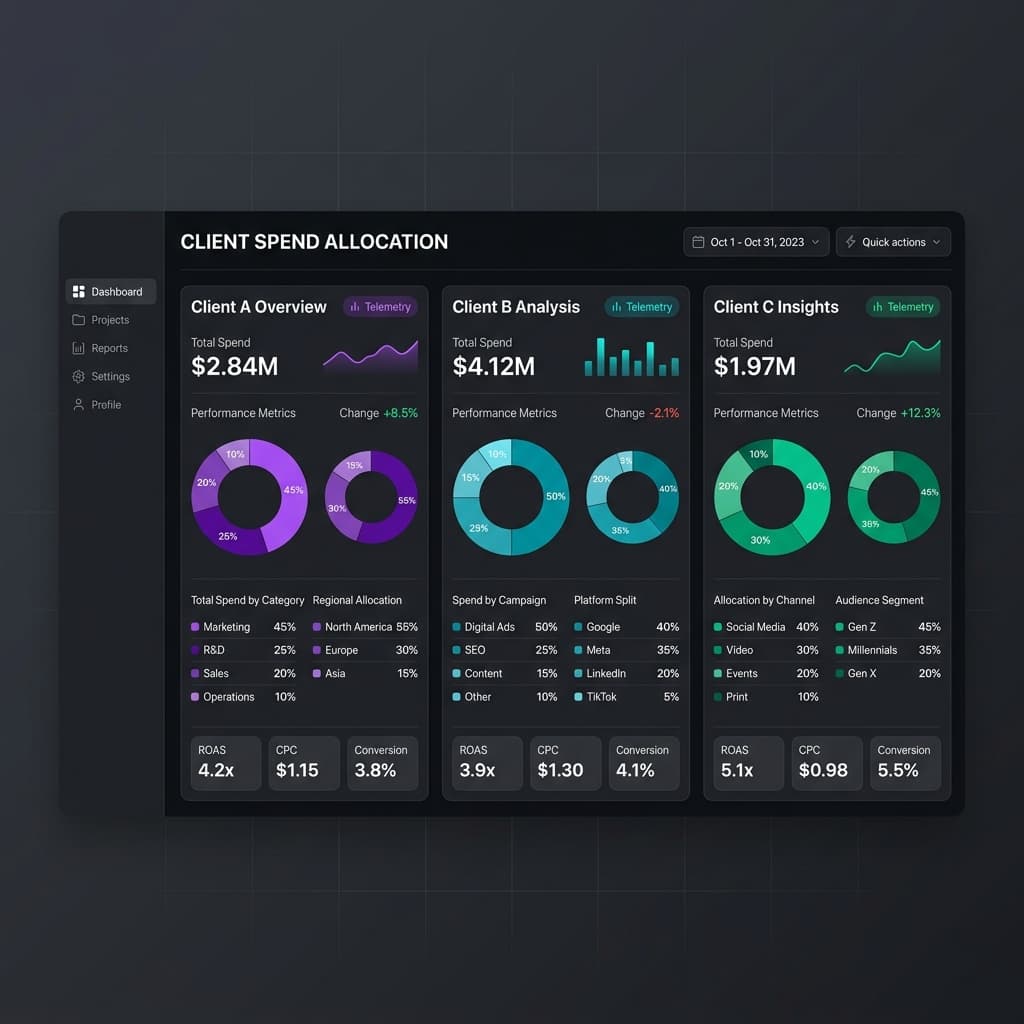
The Agency Scaling Problem
To manage AI costs across multiple clients, give each client their own project namespace with isolated API keys, enforced budget caps, and automated cost reporting. This per-client isolation model — where one client's runaway workflow can't eat into another's budget — is what separates agencies that scale to 50+ clients from those that hit the wall at 20.
The early days of an automation agency are deceptively simple. Five clients, a dozen workflows, one shared OpenAI API key. Everyone can keep track of what's running, what it costs, and what's broken. The Slack channel is quiet. The margins are healthy.
Then you hit twenty clients. Fifty workflows. Three team members building automations simultaneously. Suddenly, the shared API key is a liability — one client's runaway workflow eats into another's budget. Costs are blended across a single provider account with no way to attribute spend to individual clients. When something breaks at 2 AM, nobody knows which client is affected or how much it's costing.
This is the agency scaling wall, and it hits every automation shop that grows beyond a handful of clients. The workflows themselves scale fine — n8n, Make, and Zapier can all handle hundreds of active automations. What doesn't scale is the operational model: shared keys, blended costs, tribal knowledge about which workflow belongs to which client, and a growing gap between what you charge clients and what their workflows actually cost.
The agencies that break through this wall do it by building operational infrastructure: per-client isolation, real budget enforcement, automated cost reporting, and standardized playbooks. The agencies that don't break through this wall either cap their client count or watch their margins erode.
The Per-Client Isolation Model
The foundation of scalable multi-client AI management is isolation. Every client needs their own namespace — a container that holds their workflows, API keys, budgets, and logs separate from every other client.
This maps naturally to how automation platforms already organize work. In n8n, each client gets their own tag or subfolder. In Make, each client maps to a team or folder. The missing piece is the AI layer: when all workflows share a single OpenAI or Anthropic key, the client isolation breaks at the provider boundary.
The solution is an AI gateway with project-level separation. Each client becomes a project with its own API key (issued by the gateway, not the provider), its own budget, and its own log stream. Workflows authenticate with the client-specific key, and the gateway handles routing to the actual provider. This gives you:
Cost attribution by default. Every AI call is automatically tagged to the client that made it. No manual tagging, no workflow modifications needed.
Blast radius containment. If Client A's workflow goes haywire and burns through its budget, Client B's workflows keep running unaffected. The damage is contained to the project that caused it.
Clean key rotation. When you offboard a client or need to rotate credentials, you revoke one project key without touching anything else. No find-and-replace across fifty workflows.
Per-client rate limiting. High-volume clients don't crowd out low-volume ones. Each project can have its own rate limit that matches the client's plan and workflow requirements.
The per-client isolation model turns your AI infrastructure from a shared pool (where every problem is everyone's problem) into a set of independent lanes (where each client operates in their own space).
Multi-Client AI Cost Allocator
Spend Breakdown By Model
Budget Caps That Actually Enforce
There's a critical difference between a budget alert and a budget cap. Most monitoring tools offer alerts: "You've hit 80% of your budget." Useful for awareness, useless for protection. The alert fires, someone sees it in Slack eventually, and by then the spend has already blown past the limit.
True budget enforcement means the system stops accepting requests when the budget is exhausted. Not "sends a warning" — stops. This is the difference between "we noticed the overspend" and "we prevented the overspend."
For agencies, enforcement-level budget caps serve three critical functions:
Margin protection. If you charge Client A $500/month for AI-powered automations and your cost agreement assumes $300 in AI spend, a hard cap at $300 protects your margin even when workflows misbehave. You can always increase the cap deliberately — the point is that overages require conscious decision, not silent escalation.
Client trust. When you tell a client "your AI spend is capped at $X/month," enforcement makes that promise real. Clients in regulated industries particularly value this — they need to know that a bug in a workflow can't generate an unbounded bill.
Operational discipline. Hard caps force your team to design efficient workflows. When you know a workflow has to operate within a budget, you naturally gravitate toward cheaper models for simple tasks, tighter prompts, and conditional AI calls. Abundance breeds waste; constraints breed optimization.
The implementation should be graceful: when a project hits its budget, AI requests return a clear error (not a timeout or cryptic 500), and the dashboard shows the budget status prominently. The agency admin can increase the cap in one click if needed — but the default is protection, not permissiveness.
Client Reporting and ROI Proof
As AI becomes a larger line item in client engagements, reporting moves from "nice to have" to "table stakes." Clients want to know what they're paying for, and agencies need to demonstrate that AI spend is driving value.
Effective client reporting covers three dimensions:
Cost transparency. A monthly breakdown showing: total AI spend, spend by workflow, spend by model, and trend over time. No client wants to see a single opaque line item that says "AI services: $450." They want to see that lead scoring cost $180, content generation cost $150, and support triage cost $120 — and that each number tracks with their expectations.
Usage metrics. Beyond cost, show volume: how many AI calls per workflow, average tokens per call, success rates, and latency. This gives clients confidence that the system is running efficiently. A workflow that makes 10,000 calls at $0.003 each tells a different story than one that makes 100 calls at $3.00 each.
ROI framing. The most effective agency reports connect AI cost to business outcomes. "Your lead scoring workflow processed 2,400 leads this month at $0.07 per lead. Based on your team's estimate of 3 minutes per manual review, that's 120 hours of work automated at $180 in AI cost." This kind of ROI framing makes the AI spend feel like an investment, not an expense.
Automate the reporting. Build it once, generate it monthly. The data is already flowing through your AI gateway — cost, tokens, models, timestamps, client attribution. A scheduled workflow that compiles this into a PDF or dashboard link and emails it to each client takes a few hours to build and saves dozens of hours per month in manual reporting.
Building Your Agency's AI Operations Playbook
Sustainable scaling requires codifying your operational practices into a playbook — a living document that ensures consistency as your team grows and your client count increases.
Client onboarding checklist. Every new client engagement should follow the same steps: create a project in your AI gateway, set initial budget caps based on the engagement scope, issue a project-specific API key, configure the workflows to use that key, and set up alerting thresholds. For n8n teams, the integration setup takes five minutes and prevents weeks of operational headaches.
Model selection matrix. Document which models to use for which task types, including cost-per-call benchmarks. When a new team member builds a workflow, they shouldn't have to guess whether to use GPT-4o or Haiku for a classification task — the matrix tells them. Review and update it quarterly as pricing and capabilities change.
Escalation procedures. Define what happens when a budget alert fires, when a workflow error rate spikes, when a client's AI spend is trending above forecast. Who gets notified? What's the response time SLA? When does the client get involved? Clear escalation paths prevent small problems from becoming big ones.
Monthly review cadence. Schedule a monthly AI ops review where you look at: total spend across clients, per-client margins, model usage distribution, error rates, and upcoming provider changes (model deprecations, pricing updates). This is the AI equivalent of a DevOps team's infrastructure review — it surfaces trends before they become problems.
The playbook doesn't need to be long. A single document with checklists, decision matrices, and escalation contacts covers 90% of operational scenarios. The point is that your practices are written down, not locked in someone's head.
For n8n users, see the budget envelope guide — the TokenSense community node (verified by n8n, installable on self-hosted today, rolling out to n8n Cloud) provides per-step and per-execution attribution that changes the playbook for workflow-level budgeting.