
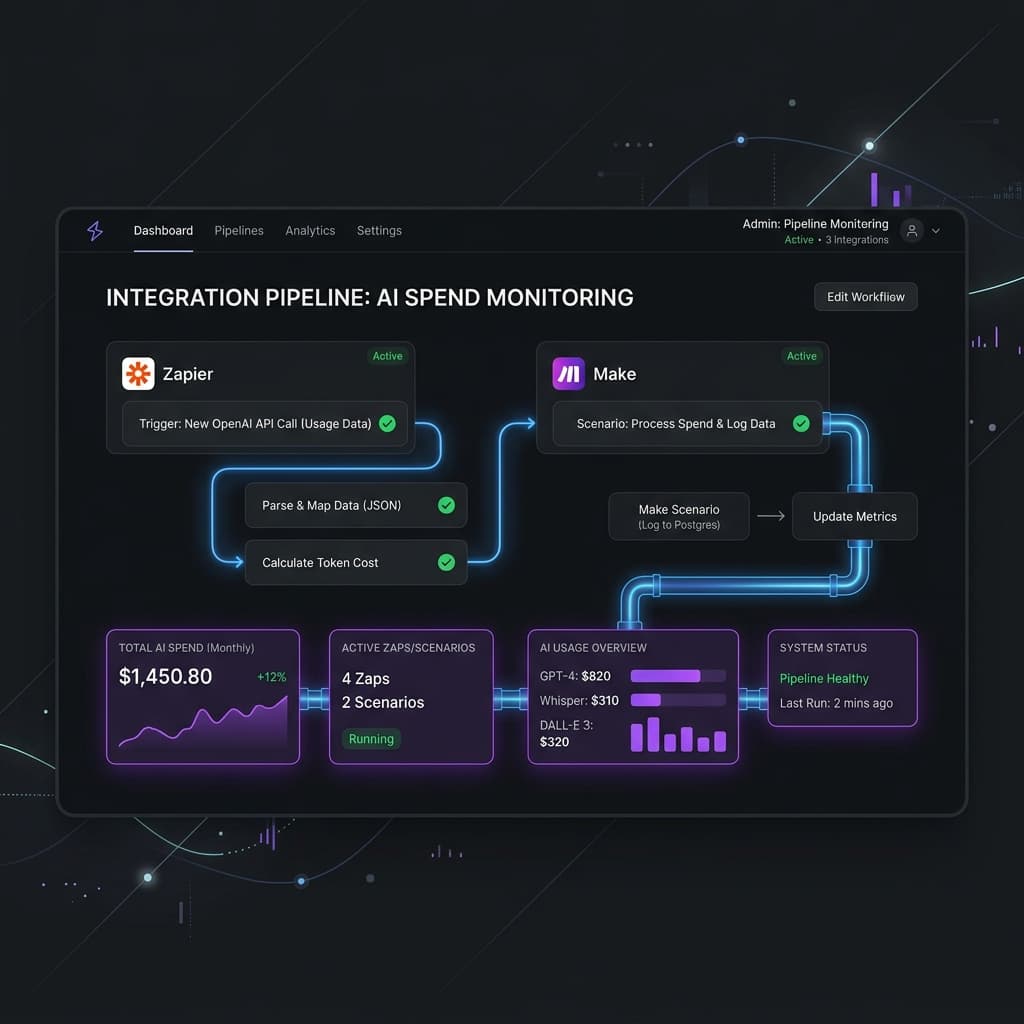
The No-Code AI Explosion
To prevent AI cost overruns in Zapier and Make, route your AI modules through a cost-tracking gateway that provides per-workflow budgets and spend visibility — something neither platform offers natively. The most common cost traps are loop multipliers (one AI module inside an iterator = hundreds of calls per run), retry spirals, and defaulting to frontier models for tasks that don't need them. A 15-minute setup gives you the guardrails that visual builders lack.
Make (formerly Integromat) and Zapier have democratized automation. Tasks that once required a developer, a server, and a deployment pipeline can now be built in an afternoon by someone who's never written a line of code.
The latest wave of this democratization is AI. Both platforms now offer native AI modules — OpenAI, Anthropic, and Google AI integrations that drop into any workflow as easily as a Slack notification or a Google Sheets update. Want to summarize every incoming email? One module. Classify support tickets by urgency? One module. Generate personalized follow-ups for every new lead? One module.
The ease of adding AI steps is remarkable. What hasn't kept pace is the ability to understand and control what those AI steps cost — the same hidden cost problem that hits every automation platform. Make shows you that a scenario ran successfully. It doesn't show you that the AI module in step 4 consumed 2,000 tokens at $0.03 per 1K, and that when this scenario runs 500 times a day, it adds up to $900/month.
For individual users running a few automations, this might not matter. For teams running dozens of AI-powered automations across business functions — marketing, support, sales, operations — the invisible accumulation of AI costs becomes a real budget problem. And unlike traditional SaaS costs, AI spend is variable: it scales with volume, input complexity, and model choice in ways that are hard to predict.
Common Cost Traps in Visual Automation Builders
Visual builders abstract away complexity — which is usually a feature, but becomes a bug when it hides cost-relevant details. Here are the most common cost traps we see:
The Loop Multiplier. Both Make and Zapier support loops and iterators. A scenario that processes a batch of 50 items, with an AI module inside the loop, makes 50 AI calls per execution. If the scenario triggers hourly, that's 1,200 AI calls per day from a single automation. The visual builder shows one AI module; the reality is 1,200 invocations.
The Retry Spiral. When an AI call fails (rate limit, timeout, transient error), both platforms can be configured to retry. Without careful retry limits, a single failed scenario can retry dozens of times, each retry making the same expensive AI call. We've seen scenarios where retries accounted for 40% of total AI spend.
The Context Window Overload. It's tempting to pass entire documents, email threads, or database records to AI modules as context. But token-based pricing means that a 5,000-word document as input costs 5-10x more than a 500-word summary. Visual builders don't surface token counts, so users have no visibility into how much context they're sending.
The Frontier Model Default. When you add an OpenAI module in Make, the default model is often the latest and most expensive. Users who don't change the default end up running classification tasks on GPT-4o when GPT-4o-mini would produce identical results at 1/15th the cost. The default costs you money.
The "It Works" Trap. Visual builders optimize for one thing: does the automation run successfully? If it does, there's no prompt to revisit model selection, reduce token usage, or add conditional logic. Working automations become permanent fixtures, regardless of how efficiently (or inefficiently) they use AI.
Setting Up Guardrails Without Writing Code
The good news: you don't need to be a developer to implement cost controls. The approach is straightforward — route your AI calls through a gateway that provides the monitoring and enforcement that visual builders lack.
Here's how it works in practice:
Step 1: Instead of connecting your Make or Zapier AI modules directly to OpenAI or Anthropic, point them at a gateway endpoint. In most visual builders, this means changing the API base URL in your AI module configuration — the same dropdown where you'd add your API key.
Step 2: The gateway issues its own API keys, one per project or client. Replace your raw OpenAI/Anthropic key with a gateway-issued key. This gives you per-project cost tracking automatically — every AI call is attributed to the project that made it.
Step 3: Set budget caps in the gateway dashboard. Monthly caps, daily caps, or per-workflow caps — whatever matches your risk tolerance. When a project hits its budget, the gateway returns a clear error to the automation, which can trigger an alert or fallback path.
Step 4: Review the cost dashboard weekly. Look at spend by project, by workflow, and by model. Identify which automations are the highest spend and whether they're using the right model for their task.
The entire setup takes 15-20 minutes per project, requires zero code, and gives you visibility and control that the automation platforms themselves don't provide. It's the same principle as putting a smart thermostat on your heating system — the furnace still does the work, but now you can see what it's costing and set limits.
Model Selection for Non-Technical Teams
Choosing the right AI model shouldn't require a PhD in machine learning. Here's a simple framework that any team can apply:
For sorting, labeling, and routing tasks — use small, fast models. If your automation classifies emails, tags support tickets, detects spam, or routes leads to the right team, you're doing classification. Small models like Claude Haiku or GPT-4o-mini handle these tasks with high accuracy at pennies per thousand calls. These are your workhorses.
For writing, summarizing, and creating content — use mid-tier models. Email drafts, report summaries, social media copy, and personalized outreach benefit from models with stronger language capabilities. Claude Sonnet or GPT-4o-mini strike the right balance between quality and cost. Set output length limits to keep costs predictable.
For analysis, comparison, and complex reasoning — use frontier models sparingly. Contract analysis, competitive research synthesis, multi-step planning, or any task that requires "thinking through" a problem warrants a top-tier model like Claude Opus or GPT-4o. But these should be the exception, not the default. Most automations don't need this level of capability.
For image and document processing — check pricing carefully. Vision models (analyzing images, reading PDFs, processing screenshots) have different pricing structures. A single image analysis call can cost more than a hundred text classification calls. Batch image processing workflows need particularly careful cost monitoring.
The decision matrix in practice: start every new automation with the cheapest applicable model. Test it with 50-100 real inputs. If the output quality is acceptable, you're done. Only upgrade to a more expensive model when you have evidence that the cheaper one can't do the job. Our n8n cost optimization guide covers model selection in more depth. This "start small, upgrade when needed" approach typically saves 60-80% compared to defaulting to frontier models.
Measuring ROI on Your AI Automations
AI cost only makes sense in the context of the value it creates. A $500/month AI bill is expensive if it's powering trivial automations. It's a bargain if it's replacing 80 hours of manual work.
Here's how to build the ROI case for your AI-powered automations:
Calculate the manual alternative. For each AI-powered workflow, estimate how long the task would take a human. Support ticket classification: 30 seconds per ticket. Lead enrichment: 3 minutes per lead. Email drafting: 5 minutes per email. Multiply by volume and hourly cost to get the "manual baseline."
Track your actual AI cost. With per-workflow cost attribution, you know exactly what each automation costs in AI spend. Add the platform cost (Make/Zapier subscription) for a complete picture.
Compute the ratio. If your lead enrichment workflow processes 2,000 leads per month at $140 in AI costs, and manual enrichment would take 100 hours at $30/hour ($3,000), your automation ROI is roughly 20:1. That's a compelling number for any budget conversation.
Track over time. ROI changes as volumes change, as you optimize models and prompts, and as AI pricing evolves. A monthly ROI tracker — even a simple spreadsheet — helps you demonstrate ongoing value and catch automations where the economics have shifted.
Present it right. For leadership and budget conversations, frame AI spend as "cost per unit of work" rather than a flat monthly number. "$0.07 per lead enriched" is easier to evaluate than "$140/month in AI costs." It connects the spend directly to business output and makes the value obvious.
The teams that measure ROI systematically are the ones that get budget approval to expand their AI automation footprint. The ones that treat AI as an opaque expense line item are the ones that face budget scrutiny and cuts. Measurement isn't just good practice — it's your defense against the next cost-cutting conversation.